
πŸ‚ Autumn Sale Arriving Soon | Want the deals before the crowd? | Get Early Access
image

How to Bulk Edit WooCommerce Orders in Google Sheets❓

01

Check your orders

Open WooCommerce Orders in wp-admin to see what's currently synced to your Sheet.

02

Edit in your Sheet

Update the status column, or other synced fields, for as many orders as you need.

03

Sync happens automatically

Save your Sheet and every change updates in your WooCommerce order dashboard.

Change multiple WooCommerce order statuses in one pass

Change Multiple Order Statuses in One Pass

No more opening each order to update its status. Edit the status column for as many rows as you like in your connected Sheet, and FlexOrder syncs every change back to WooCommerce.

Edit More Than Just Status

Bulk editing works on any field FlexOrder already syncs to your Sheet, not only order status. Update several orders at once and every change reflects back in WooCommerce.

Order status

Product name

Order quantity

Payment & shipment

Customer name

Order URL & ID
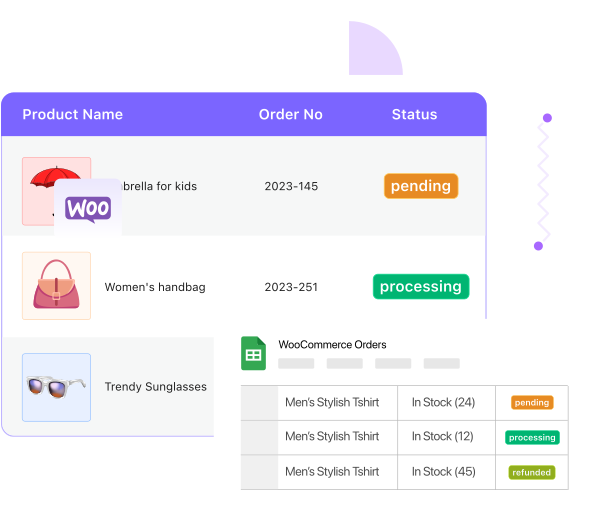
Bulk edit more WooCommerce order fields than just status
Image

Built on Your Existing Order Sync

Bulk editing runs on orders already synced to your Sheet through FlexOrder's order sync feature, so there is no separate setup. Connect once, then edit as many orders as you need, whenever you need to.

Built for Every Bulk Order Management Moment

Any time you need to touch many orders at once, your Sheet is the faster way in.

Block Image

Batch shipping updates

Mark a whole batch of orders as shipped or completed in one pass, right after a fulfillment run.

Block Image

Fixing status mistakes

Correct order statuses across several orders at once instead of hunting each one down individually.

Block Image

End-of-day order processing

Process the day's orders in a single sweep through your Sheet, then get back to running your store.

Frequently Asked Questions

Everything about bulk editing WooCommerce orders from Google Sheets.

Can I bulk edit WooCommerce order status from Google Sheets?
Yes. Update the status column for multiple orders in your connected Sheet, and FlexOrder syncs every change back to WooCommerce.
Do I need to click a sync button, or does it update on its own?
It updates on its own. Save your changes in the Sheet and WooCommerce reflects them automatically, no manual sync step.
Can I bulk edit fields other than status?
Yes. Anything FlexOrder already syncs, including product name, quantity, payment and shipment details, and customer name, can be edited in bulk the same way.
Do I need order sync set up first?
Yes. Bulk editing works on orders already connected through FlexOrder's order sync feature. Set that up once, then edit as many orders as you like.
Is this the same as creating new orders from Google Sheets?
No. Bulk editing updates orders that already exist in WooCommerce. Creating new orders from a Sheet is a separate FlexOrder feature.

Start Bulk Editing WooCommerce Orders Today

Update many orders at once from your Sheet. No manual entry, no code.
Image